Lesson 6.1 · Reading time: ~7 min
A SQL subquery helps you split one problem into multiple steps inside a single statement. In this lesson, you will learn the core idea of subqueries, their main types, and how to use them in SELECT, WHERE, and FROM with Sakila examples.
Introduction to Subqueries: Nested Queries and Inline View
In previous lessons, you already learned how to fetch data and combine tables with JOIN. But in real tasks, you often need to calculate an intermediate result first and then use it in the main query.
That is exactly what subqueries are for: they make SQL logic step-by-step and easier to reason about.
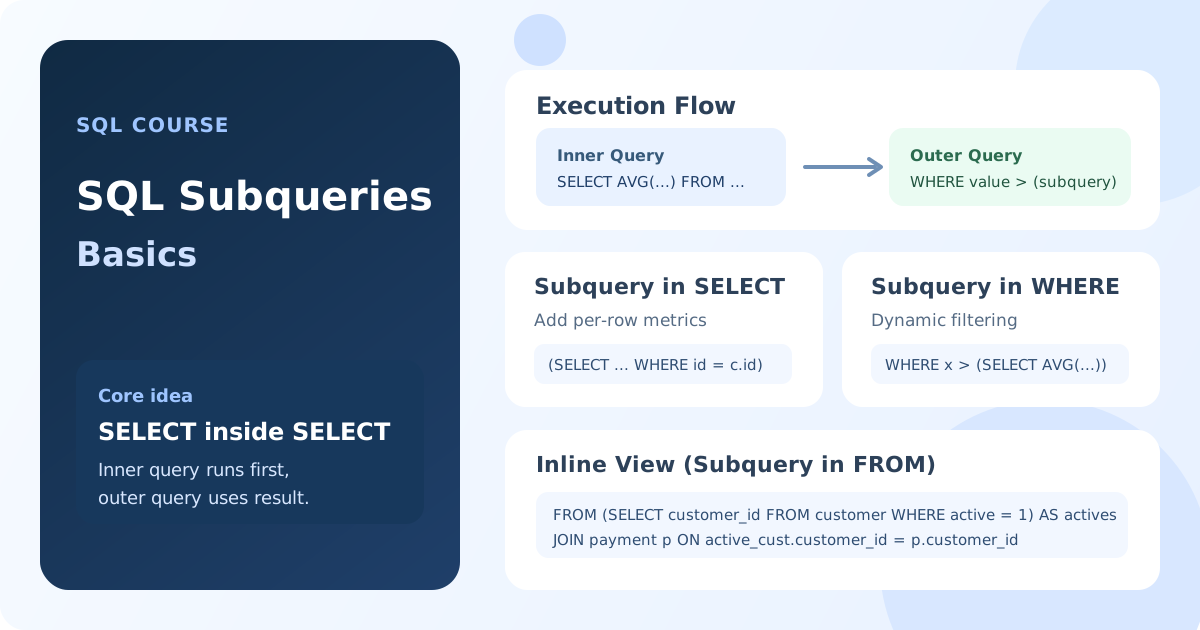
What Is a Subquery
A subquery is a SELECT statement nested inside another SQL query. The query that contains it is called the outer query.
A subquery is always written in parentheses ().
How a Subquery Executes
In most cases, the DBMS executes the inner query first. Its result is then passed to the outer query, which completes filtering or builds the final result set.
-- Conceptual example
SELECT column_name
FROM table_name
WHERE column_name = (SELECT value FROM another_table);
Note: the expression in parentheses is computed first, then the outer WHERE condition is applied.
Main Types of Subqueries
- Scalar subquery: returns one value (one row, one column).
- Multi-row subquery: returns a list of values (one column, many rows).
- Table subquery (Inline View): returns a set of rows and columns used as a temporary table.
Subquery in SELECT
You can place subqueries directly in the SELECT list when you need an extra metric next to base columns without changing row granularity. This is especially useful when a JOIN would easily duplicate rows or require heavy aggregation.
Scenario 1: show each customer's last payment (date and amount).
SELECT
    c.customer_id,
    c.first_name,
    c.last_name,
    (
        SELECT p.payment_date
        FROM payment AS p
        WHERE p.customer_id = c.customer_id
        ORDER BY p.payment_date DESC
        LIMIT 1
    ) AS last_payment_date,
    (
        SELECT p.amount
        FROM payment AS p
        WHERE p.customer_id = c.customer_id
        ORDER BY p.payment_date DESC
        LIMIT 1
    ) AS last_payment_amount
FROM
    customer AS c
LIMIT 10;
Result: for each customer, you get exactly one "latest" payment. With JOIN, this is usually more complex: you first compute max date, then rejoin and resolve ties.
Scenario 2: show each payment and its deviation from that customer's average payment.
SELECT
    p.payment_id,
    p.customer_id,
    p.amount,
    (
        SELECT AVG(p2.amount)
        FROM payment AS p2
        WHERE p2.customer_id = p.customer_id
    ) AS customer_avg_amount,
    p.amount - (
        SELECT AVG(p3.amount)
        FROM payment AS p3
        WHERE p3.customer_id = p.customer_id
    ) AS delta_from_customer_avg
FROM
    payment AS p
LIMIT 15;
Result: each payment row keeps its original granularity and gets a per-customer benchmark. A JOIN approach would require a separate aggregate table and an extra join.
Subquery in WHERE
The most common case is a subquery inside WHERE, where filtering depends on a dynamically computed value.
Scenario: find films whose replacement_cost is above the average across all films.
SELECT
    title,
    replacement_cost
FROM
    film
WHERE
    replacement_cost > (
        SELECT AVG(replacement_cost)
        FROM film
    );
Result: the inner query calculates the average, and the outer query returns films above that average.
Subquery in FROM (Inline View)
When a subquery is placed in FROM, it behaves like a temporary table inside the current query. This pattern is called an Inline View.
Important: an Inline View must have an alias.
Scenario: get active customers and their payments.
SELECT
    active_cust.first_name,
    p.amount
FROM
    (
        SELECT
            customer_id,
            first_name
        FROM
            customer
        WHERE
            active = 1
    ) AS active_cust
INNER JOIN
    payment AS p ON active_cust.customer_id = p.customer_id;
Result: the outer query joins subquery result active_cust with payment.
When Subqueries Are More Convenient Than JOIN
- For step-by-step logic when you need one intermediate value first.
- For filtering by aggregates (
AVG,MAX,MIN) without overcomplicating the main query. - For missing-relationship checks, where
NOT INorNOT EXISTSare often natural choices.
Key takeaways from this lesson:
- A subquery is a
SELECTnested inside another SQL query. - The inner query usually runs before the outer query.
- A subquery can return one value, a list of values, or a full table-like set.
- A subquery in
FROMis called Inline View and requires an alias. - Subqueries help write clearer and more flexible SQL.
Frequently Asked Questions
What is the difference between a subquery in WHERE and in FROM?
A subquery in WHERE is usually used to filter rows of the outer query. A subquery in FROM builds a temporary dataset (Inline View) that you can join and process further.
Do I always need an alias for a subquery in FROM?
Yes. In most DBMSs, a subquery in FROM must have an alias. Without it, the query fails.
Interview Questions
What is a subquery and how does it execute?
A subquery is a nested SELECT inside an outer SQL query. Typically, the inner query executes first, and the outer query uses its result for filtering or building the final output.
What is the difference between scalar and multi-row subqueries?
A scalar subquery returns one value and commonly works with = or >. A multi-row subquery returns a set of values and is used with IN, ANY, or ALL.
What is an Inline View in SQL?
An Inline View is a subquery in FROM that behaves like a temporary table within one query. It must have an alias so you can reference its columns.
In the next lesson, we will dive into subqueries in WHERE and cover operators IN, EXISTS, ANY, and ALL.