ROW_NUMBER vs RANK vs DENSE_RANK vs NTILE
Lesson 7.2 · Reading time: ~8 min · Practice tasks ↓
SQL ranking functions number rows in a defined order: ROW_NUMBER, RANK and DENSE_RANK assign positions, and NTILE splits rows into buckets. They differ only in how they treat ties, rows with equal values, and that difference decides whether a report is correct. In this lesson you'll compare all of them on the same real data, see why ROW_NUMBER needs a tie-breaker, and learn which function fits which task.
In the previous lesson you used ROW_NUMBER() to number payments. Ranking functions follow the same pattern: a function, then OVER with an ORDER BY that defines what "first" means, and an optional PARTITION BY that restarts the ranking for each group. Ranking functions ignore window frames: they always look at the whole partition.
The examples run on the Sakila sample database (MySQL 8.0).
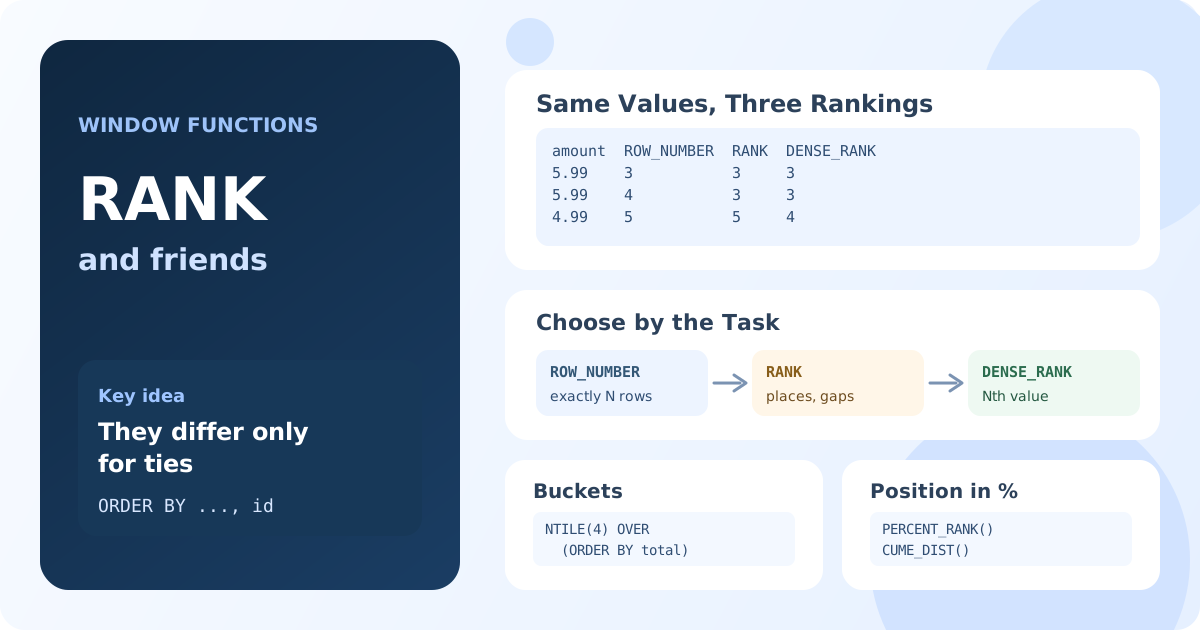
The Three Functions Side by Side
Customer 1 made 32 payments. Several of them are equal: four payments of 5.99 and eight of 4.99. Let's rank the payments from the largest:
SELECT
    payment_id,
    amount,
    ROW_NUMBER() OVER (ORDER BY amount DESC, payment_id) AS row_num,
    RANK()       OVER (ORDER BY amount DESC) AS rnk,
    DENSE_RANK() OVER (ORDER BY amount DESC) AS dense_rnk
FROM payment
WHERE customer_id = 1
ORDER BY row_num
LIMIT 8;
Result: the 8 largest payments of customer 1.
| payment_id | amount | row_num | rnk | dense_rnk |
|---|---|---|---|---|
| 5 | 9.99 | 1 | 1 | 1 |
| 14 | 7.99 | 2 | 2 | 2 |
| 3 | 5.99 | 3 | 3 | 3 |
| 10 | 5.99 | 4 | 3 | 3 |
| 11 | 5.99 | 5 | 3 | 3 |
| 32 | 5.99 | 6 | 3 | 3 |
| 6 | 4.99 | 7 | 7 | 4 |
| 7 | 4.99 | 8 | 7 | 4 |
ROW_NUMBERgives every row its own number: 1, 2, 3, 4, … Equal values get different numbers.RANKgives equal values the same rank and then skips numbers: four payments share rank 3, so the next rank is 7. This is "competition ranking", like places in a race.DENSE_RANKgives equal values the same rank without gaps: after rank 3 comes rank 4. The number of distinct ranks equals the number of distinct values.
ROW_NUMBER Needs a Tie-Breaker
Among equal values, ROW_NUMBER must still pick an order, and the database is free to choose any. Without payment_id in the ORDER BY above, MySQL numbered the four 5.99 payments as 4, 5, 6, 3, and another run or another server version could do it differently. A report that depends on "row number 3" would then change between runs.
Whenever you use ROW_NUMBER for anything that matters, such as pagination or "keep the first row", add a unique column to the ORDER BY inside OVER, for example the primary key. RANK and DENSE_RANK don't need it: equal values get equal ranks anyway.
NTILE: Split Rows into Buckets
NTILE(n) doesn't rank values; it distributes the ordered rows into n groups of nearly equal size and returns the group number. It's the standard way to build quartiles, deciles or "top 10%" segments.
Split the customers of each store into spending quartiles:
WITH customer_total AS (
    SELECT c.store_id, c.customer_id, SUM(p.amount) AS total_paid
    FROM customer c
    JOIN payment p ON p.customer_id = c.customer_id
    GROUP BY c.store_id, c.customer_id
),
segmented AS (
    SELECT
        store_id,
        total_paid,
        NTILE(4) OVER (PARTITION BY store_id ORDER BY total_paid DESC) AS quartile
    FROM customer_total
)
SELECT
    store_id,
    quartile,
    COUNT(*) AS customers,
    MIN(total_paid) AS min_paid,
    MAX(total_paid) AS max_paid
FROM segmented
GROUP BY store_id, quartile
ORDER BY store_id, quartile;
Result: 8 rows; store 1 has 326 customers split into 82, 82, 81 and 81; its top quartile paid from 128.73 to 216.54.
| store_id | quartile | customers | min_paid | max_paid |
|---|---|---|---|---|
| 1 | 1 | 82 | 128.73 | 216.54 |
| 1 | 2 | 82 | 111.74 | 128.73 |
| 1 | 3 | 81 | 96.72 | 111.73 |
| 1 | 4 | 81 | 50.85 | 95.78 |
| 2 | 1 | 69 | 127.68 | 221.55 |
| ... | ... | ... | ... | ... |
When the rows don't divide evenly, the first buckets get one row more. NTILE splits by row count, not by value: equal values at a boundary can land in different buckets, as 128.73 does here.
PERCENT_RANK and CUME_DIST
Two more functions express a position as a fraction from 0 to 1:
PERCENT_RANK()= (rank − 1) / (rows − 1): the share of rows ranked strictly ahead. The first row gets 0.CUME_DIST()= rows with a value up to and including the current one / all rows: the share of rows at or ahead.
SELECT
    payment_id,
    amount,
    ROUND(PERCENT_RANK() OVER (ORDER BY amount DESC), 2) AS pct_rank,
    ROUND(CUME_DIST() OVER (ORDER BY amount DESC), 2) AS cumulative_share
FROM payment
WHERE customer_id = 1
ORDER BY amount DESC, payment_id
LIMIT 4;
Result: the 9.99 payment has pct_rank 0 and cumulative_share 0.03; each 5.99 payment has pct_rank 0.06 and cumulative_share 0.19, because 6 of 32 payments are 5.99 or larger.
They are handy for "top 10% of customers" filters: WHERE cumulative_share <= 0.1 in an outer query. Don't name the column cume_dist or rank: in MySQL 8 these are reserved words.
Which Function to Use
| Task | Function |
|---|---|
| Exactly N rows per group, latest row, pagination | ROW_NUMBER with a tie-breaker |
| Places in a competition: equal scores share a place, the next place is skipped | RANK |
| Nth distinct value, such as the second highest salary | DENSE_RANK |
| Quartiles, deciles, equal-size segments | NTILE(n) |
| Relative position as a percentage | PERCENT_RANK, CUME_DIST |
Two tasks built on these functions are covered in detail in the interview-task lessons: top N rows per group (Lesson 12.6) and the Nth highest salary (Lesson 12.4).
Key Takeaways:
ROW_NUMBER,RANKandDENSE_RANKdiffer only for ties: unique numbers, shared ranks with gaps, shared ranks without gaps.- For values 9.99, 7.99, 5.99, 5.99, 4.99 they return 1-2-3-4-5, 1-2-3-3-5 and 1-2-3-3-4.
- Add a unique tie-breaker to
ORDER BYwhen you useROW_NUMBER, or the numbering of equal values is arbitrary. NTILE(n)splits ordered rows intonnearly equal buckets by row count.PERCENT_RANKandCUME_DISTgive the position as a fraction from 0 to 1.
Frequently Asked Questions
What is the difference between ROW_NUMBER, RANK and DENSE_RANK?
All three number rows by the ORDER BY in OVER. ROW_NUMBER always gives unique numbers. RANK gives equal values the same rank and skips the following numbers (1, 2, 2, 4). DENSE_RANK gives equal values the same rank without skipping (1, 2, 2, 3).
When should I use RANK instead of DENSE_RANK?
Use RANK when the position should reflect how many rows are ahead, as in sports results: two winners share 1st place and the next is 3rd. Use DENSE_RANK when you need consecutive levels of distinct values, for example "the second highest price".
How does NTILE handle rows that don't divide evenly?
The first buckets get one extra row. With 326 rows and NTILE(4), the buckets have 82, 82, 81 and 81 rows. NTILE counts rows, so equal values can be split between two neighboring buckets.
Why does ROW_NUMBER give different results for the same query?
Because the ORDER BY inside OVER has ties, and the database may order equal rows differently between runs. Add a unique column, such as the primary key, as the last sort key to make the numbering deterministic.