Lesson 10.1 · Reading time: ~9 min
This lesson covers the basics of writing high-quality SQL code that is easy to read and maintain. You will learn formatting standards, object naming rules, and how to use comments effectively. We will review how to make complex queries clear for your teammates and for your future self. By the end of this lesson, you will be able to format SQL scripts professionally and consistently.
Lesson 10.1: Best Practices for Readable and Maintainable SQL Code
In the previous module, we studied advanced data tools such as views and temporary tables. Now that your queries are becoming larger and more complex, code quality becomes a top priority. In real analytics and development work, SQL code is read much more often than it is written.
Well-structured code reduces errors, simplifies debugging, and saves time for the whole team. This is not just about style. It is a critical skill for any SQL developer or data analyst.
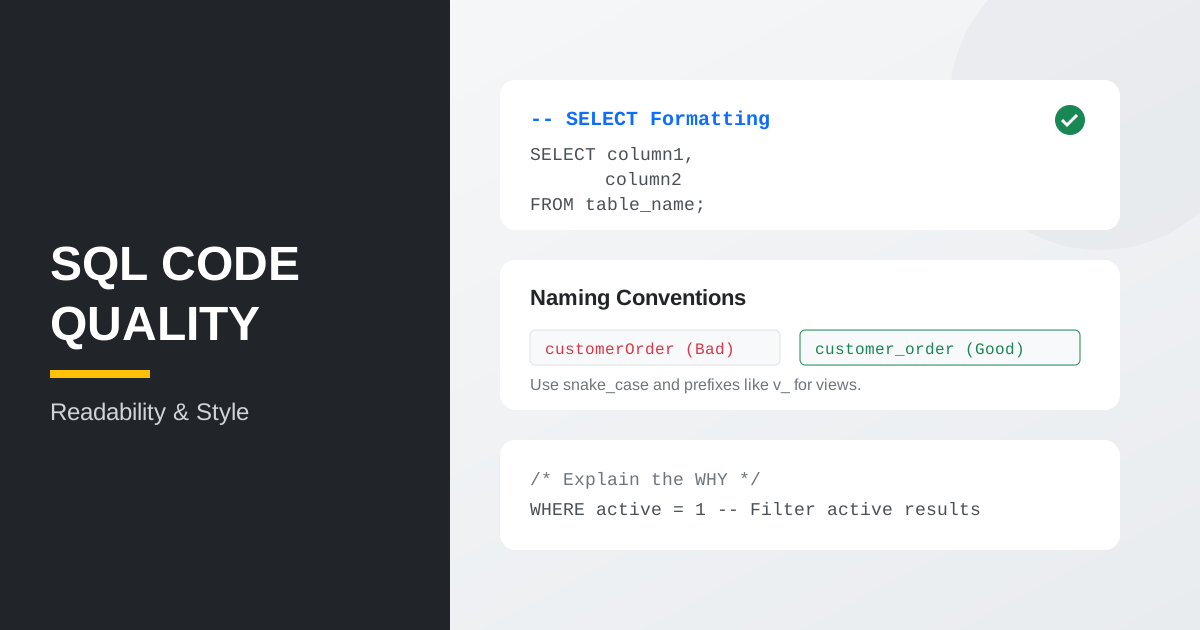
Why code style matters
When a query has 5-10 lines, its logic is usually clear at a glance. But when you move to complex reports with many JOIN clauses, subqueries, or CTE blocks, code can become overloaded and difficult to parse, even for the original author a week later.
Following standards helps you:
- Find bugs faster: wrong filters or missing
JOINclauses stand out in clean code. - Scale solutions: structured code is easier to extend with new fields and conditions.
- Work in teams: teammates can review and maintain your scripts with less friction.
Formatting and indentation
A consistent formatting style is the foundation of readability. SQL is not sensitive to whitespace or letter case, but there are widely accepted conventions.
Keyword casing
A common practice is writing SQL keywords (SELECT, FROM, WHERE, JOIN, GROUP BY) in uppercase. This visually separates database commands from table and column names.
-- Poor
select name, price from products where category_id = 1;

-- Better
SELECT name, price
FROM products
WHERE category_id = 1;
Line breaks and indentation
Each major clause should start on a new line. If SELECT or GROUP BY includes many columns, put each column on its own line.
SELECT
    customer_id,
    first_name,
    last_name,
    email
FROM customer
WHERE active = 1
ORDER BY last_name;
Naming conventions
Choosing good names for tables, columns, and variables is essential for code clarity.
Lowercase and snake_case
In SQL, a de-facto standard is using lowercase and underscores between words. Many DBMS engines normalize identifier casing differently (for example, PostgreSQL and Oracle), and snake_case helps avoid confusion.
- Poor:
CustomerOrders,TotalAmount - Better:
customer_orders,total_amount
Prefixes for object types
Sometimes teams use prefixes to identify object types quickly.
Examples:
v_for views:v_active_customerstmp_for temporary tables:tmp_monthly_reportt_for base tables (less common)
-- It is immediately clear this is a prepared view
SELECT *
FROM v_customer_payment_summary
WHERE total_amount > 100;
Naming and aliases
Clear names and aliases make queries self-documenting.
Clear table aliases
Use short but meaningful aliases, especially with JOIN. Avoid aliases like t1, t2, a, b.
-- Unclear
SELECT
    t1.name,
    t2.amount
FROM table_a t1
JOIN table_b t2 ON t1.id = t2.ref_id;

-- Clear
SELECT
    c.first_name,
    p.amount
FROM customer c
JOIN payment p ON c.customer_id = p.customer_id;
Clear aliases for computed fields
Always give meaningful names to aggregates and computed columns. A report column named count(*) looks unprofessional.
SELECT
    category_id,
    COUNT(*) AS total_films_in_category,
    AVG(replacement_cost) AS average_replacement_cost
FROM film
GROUP BY category_id;
Commenting SQL code
Comments explain why a piece of logic exists when the intention is not obvious.
- Single-line comments (
--): explain specific filters or formulas. - Block comments (
/* ... */): describe script purpose, author, and date.
/*
  Script: Monthly active customer spending
  Author: Ivanov I.
  Date: 2026-04-16
*/

SELECT
    customer_id,
    SUM(amount) AS monthly_spent
FROM payment
WHERE payment_date >= '2026-01-01' -- Filter from start of year
  AND payment_date < '2026-02-01'
GROUP BY customer_id;
Practical example: cleaning up a messy query
Let us compare a hard-to-read query with a maintainable version.
Before (hard to read):
select f.title,c.name,count(r.rental_id) from film f join film_category fc on f.film_id=fc.film_id join category c on fc.category_id=c.category_id join inventory i on f.film_id=i.film_id join rental r on i.inventory_id=r.inventory_id group by f.title,c.name having count(r.rental_id)>30 order by count(r.rental_id) desc;
After (easy to maintain):
SELECT
    f.title,
    c.name AS category_name,
    COUNT(r.rental_id) AS rental_count
FROM film f
JOIN film_category fc ON f.film_id = fc.film_id
JOIN category c       ON fc.category_id = c.category_id
JOIN inventory i      ON f.film_id = i.film_id
JOIN rental r         ON i.inventory_id = r.inventory_id
GROUP BY f.title, c.name
HAVING COUNT(r.rental_id) > 30
ORDER BY rental_count DESC;
Note: in the second version, relationship structure, aggregate naming, and filter logic are immediately visible.
Key takeaways from this lesson:
- Write SQL keywords in uppercase to make query structure visible.
- Use line breaks and indentation so long queries are easier to read and review.
- Use clear aliases for tables and computed fields.
- Apply consistent naming rules such as
snake_casefor tables and columns. - Comment non-obvious business logic and complex filter conditions.
- Maintain a shared style guide in your team to speed up review, debugging, and evolution.
Frequently Asked Questions
Do SQL keywords always need to be uppercase?
No technical requirement exists. DBMS engines will parse lowercase too. But a consistent uppercase style (SELECT, FROM, WHERE, JOIN) improves readability and speeds up review of long queries.
When are comments in SQL actually useful?
Comments are most useful where logic is not obvious: business rules, unusual filters, and technical constraints. If code is already clear, avoid unnecessary comments.
What matters more for maintainability: formatting or naming?
Both are critical. Formatting shows query structure quickly, while clear names and aliases make intent obvious without extra explanation.
Interview Questions
What characteristics define maintainable SQL code?
Maintainable SQL has consistent formatting, clear naming, meaningful aliases, and concise comments in non-obvious places. This makes code easier to review, modify, and support in teams.
Why can poor naming become a team-level problem?
Unclear names and aliases slow reviews and increase the risk of mistakes during changes. Good names reduce cognitive load and make query logic transparent.
How would you improve a messy SQL query in practice?
First split it into logical blocks (SELECT, FROM, JOIN, WHERE, GROUP BY, ORDER BY) with proper line breaks and indentation. Then replace unclear aliases, name computed fields clearly, and add short comments where logic is not obvious.
In the next lesson, we will move to technical optimization and learn how to write SQL queries that are not only clean, but also fast.