SQL CREATE TABLE: Defining a Table
Lesson 9.1 · Reading time: ~9 min · Practice tasks ↓
The SQL CREATE TABLE statement creates a new table: its columns, their data types, and the rules the data must follow. In this lesson you'll learn how to define columns, choose data types, and use the main constraints: PRIMARY KEY, NOT NULL, UNIQUE, DEFAULT, CHECK and FOREIGN KEY.
So far you have worked with tables that already existed. CREATE TABLE belongs to the Data Definition Language (DDL): commands that define the structure of a database rather than its data. A well-designed table stores data compactly, rejects invalid values, and keeps relationships between tables consistent.
The examples use MySQL and MariaDB syntax. The sample databases on SQLtest are read-only, so practice these statements in the playground on a database without sample data.
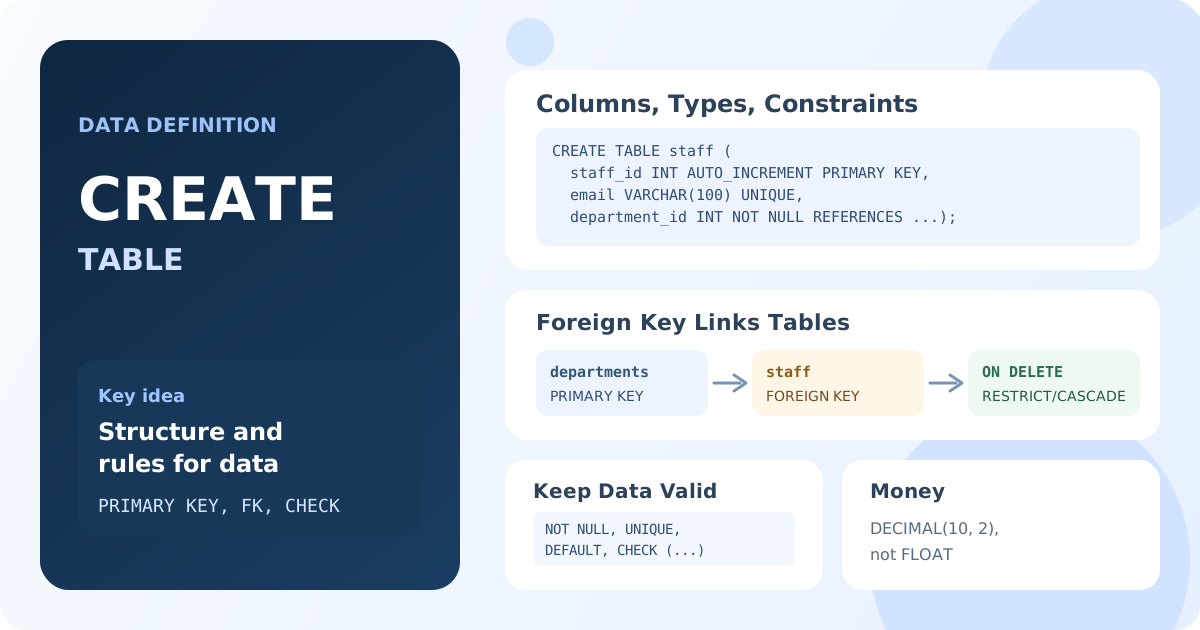
CREATE TABLE Syntax
CREATE TABLE table_name (
    column1 data_type constraints,
    column2 data_type constraints,
    table_constraints
);
Each column has a name, a data type, and optionally constraints and parameters. Constraints that involve several columns, such as a composite primary key, are written after the columns.
A First Table
CREATE TABLE students (
    student_id INT,
    first_name VARCHAR(50),
    last_name VARCHAR(50),
    birth_date DATE,
    created_at TIMESTAMP
);
Result: an empty students table with five columns.
This table works, but it accepts anything: duplicate ids, students without names. Constraints fix that.
Choosing Data Types
| Data type | Stores | Example |
|---|---|---|
INT, BIGINT | Whole numbers | ids, quantities |
DECIMAL(p, s) | Exact numbers with s decimals | money: DECIMAL(10, 2) |
VARCHAR(n) | Text up to n characters | names, emails |
TEXT | Long text | descriptions |
DATE | A calendar date | birth date |
DATETIME, TIMESTAMP | Date and time | creation time |
BOOLEAN | True or false (TINYINT(1) in MySQL) | flags |
Choose the narrowest type that fits the data: it saves space and rejects wrong values. Store money in DECIMAL, not in FLOAT, which can't represent many decimal fractions exactly. Read more in the lesson about data types.
Primary Key and AUTO_INCREMENT
A primary key identifies each row: its values are unique and never NULL. A surrogate key is usually generated by the database with AUTO_INCREMENT:
CREATE TABLE students (
    student_id INT AUTO_INCREMENT PRIMARY KEY,
    first_name VARCHAR(50) NOT NULL,
    last_name VARCHAR(50) NOT NULL
);

INSERT INTO students (first_name, last_name)
VALUES ('ANNA', 'LEE'), ('MARK', 'STONE');

SELECT * FROM students;
Result: two students with student_id 1 and 2, generated automatically.
Other databases generate keys differently: PostgreSQL uses GENERATED ALWAYS AS IDENTITY or SERIAL, SQL Server IDENTITY(1, 1).
NOT NULL, UNIQUE and DEFAULT
CREATE TABLE employees (
    employee_id INT AUTO_INCREMENT PRIMARY KEY,
    first_name VARCHAR(50) NOT NULL,
    last_name VARCHAR(50) NOT NULL,
    email VARCHAR(100) UNIQUE,
    hire_date DATE NOT NULL,
    salary DECIMAL(10, 2) NOT NULL DEFAULT 0.00,
    created_at TIMESTAMP DEFAULT CURRENT_TIMESTAMP
);
NOT NULL: the column must have a value.UNIQUE: no two rows can have the same value.NULLvalues are allowed and are not considered duplicates.DEFAULT: the value used when anINSERTdoesn't provide one.
-- Error: Column 'hire_date' cannot be null
INSERT INTO employees (first_name, last_name, hire_date)
VALUES ('JOHN', 'DOE', NULL);
CHECK Constraints
CHECK defines a condition every row must satisfy:
CREATE TABLE products (
    product_id INT AUTO_INCREMENT PRIMARY KEY,
    product_name VARCHAR(100) NOT NULL,
    price DECIMAL(10, 2) NOT NULL CHECK (price >= 0),
    discount_pct INT DEFAULT 0 CHECK (discount_pct BETWEEN 0 AND 90)
);

-- Error: Check constraint 'products_chk_1' is violated
INSERT INTO products (product_name, price) VALUES ('Broken', -5);
MySQL enforces CHECK since version 8.0.16 and MariaDB since 10.2; older MySQL versions accepted the syntax but ignored the condition.
Foreign Keys
A foreign key links a column to the primary key of another table. The database then rejects values that don't exist in the referenced table:
CREATE TABLE departments (
    department_id INT AUTO_INCREMENT PRIMARY KEY,
    department_name VARCHAR(100) NOT NULL UNIQUE
);

CREATE TABLE staff (
    staff_id INT AUTO_INCREMENT PRIMARY KEY,
    full_name VARCHAR(100) NOT NULL,
    department_id INT NOT NULL,
    FOREIGN KEY (department_id) REFERENCES departments (department_id)
        ON DELETE RESTRICT
        ON UPDATE CASCADE
);

INSERT INTO departments (department_name) VALUES ('Sales');
INSERT INTO staff (full_name, department_id) VALUES ('ANNA LEE', 1);

-- Error: a foreign key constraint fails (department 99 doesn't exist)
INSERT INTO staff (full_name, department_id) VALUES ('MARK STONE', 99);
ON DELETE defines what happens to the child rows when a referenced row is deleted:
| Option | When the parent row is deleted |
|---|---|
RESTRICT / NO ACTION | The deletion is rejected while child rows exist (the default) |
CASCADE | Child rows are deleted too |
SET NULL | The child column is set to NULL |
ON UPDATE works the same way when the referenced key changes. In Sakila, most foreign keys use ON DELETE RESTRICT, which is why you couldn't delete a customer with rentals in Lesson 8.3.
IF NOT EXISTS
Creating a table that already exists is an error. IF NOT EXISTS skips the creation instead, which is useful in scripts that are run more than once:
CREATE TABLE IF NOT EXISTS departments (
    department_id INT AUTO_INCREMENT PRIMARY KEY,
    department_name VARCHAR(100) NOT NULL
);
Note that it doesn't compare structures: if a table with this name exists but has different columns, it stays as it is.
Text Encoding
For text columns, MySQL and MariaDB let you set the character set and collation:
CREATE TABLE customers (
    customer_id INT AUTO_INCREMENT PRIMARY KEY,
    full_name VARCHAR(100) CHARACTER SET utf8mb4 COLLATE utf8mb4_unicode_ci NOT NULL
) DEFAULT CHARSET = utf8mb4;
utf8mb4 stores any Unicode character, including emoji; the collation defines how strings are compared and sorted. Since MySQL 8.0, utf8mb4 is the default.
Key Takeaways:
CREATE TABLEdefines columns, data types and constraints; the new table is empty.- Choose precise data types; use
DECIMALfor money. PRIMARY KEYidentifies rows;AUTO_INCREMENTgenerates key values.NOT NULL,UNIQUE,DEFAULTandCHECKkeep data valid.FOREIGN KEYlinks tables;ON DELETEsets what happens to child rows.IF NOT EXISTSavoids an error when the table already exists.
Frequently Asked Questions
How do I create a table with a primary key in SQL?
Add PRIMARY KEY to the key column: CREATE TABLE students (student_id INT AUTO_INCREMENT PRIMARY KEY, name VARCHAR(50) NOT NULL);. For a key of several columns, write PRIMARY KEY (col1, col2) after the column list.
What is the difference between PRIMARY KEY and UNIQUE?
Both forbid duplicates. A table has only one primary key, and its columns can't be NULL. A table can have many UNIQUE constraints, and they allow NULL values.
How do I add a foreign key in CREATE TABLE?
Write FOREIGN KEY (column) REFERENCES other_table (key_column) after the columns, optionally with ON DELETE and ON UPDATE actions. The referenced column must be a primary key or unique.