Lesson 9.4 · Reading time: ~7 min
A SQL temporary table is a table that exists only for the current session (connection) and is removed automatically when it ends. In this lesson you'll learn how to create temporary tables, how to fill them from a query, how they differ from regular tables and CTEs, and which limitations they have in MySQL.
SQL Temporary Tables
Complex analysis often happens in steps: select the customers of interest, then calculate several reports about them. The intermediate result can be repeated as a subquery or CTE in every report, or saved once in a temporary table and reused by all the following queries.
The sample databases on SQLtest are read-only, so CREATE TEMPORARY TABLE returns a permission error there. The examples use the Sakila schema.
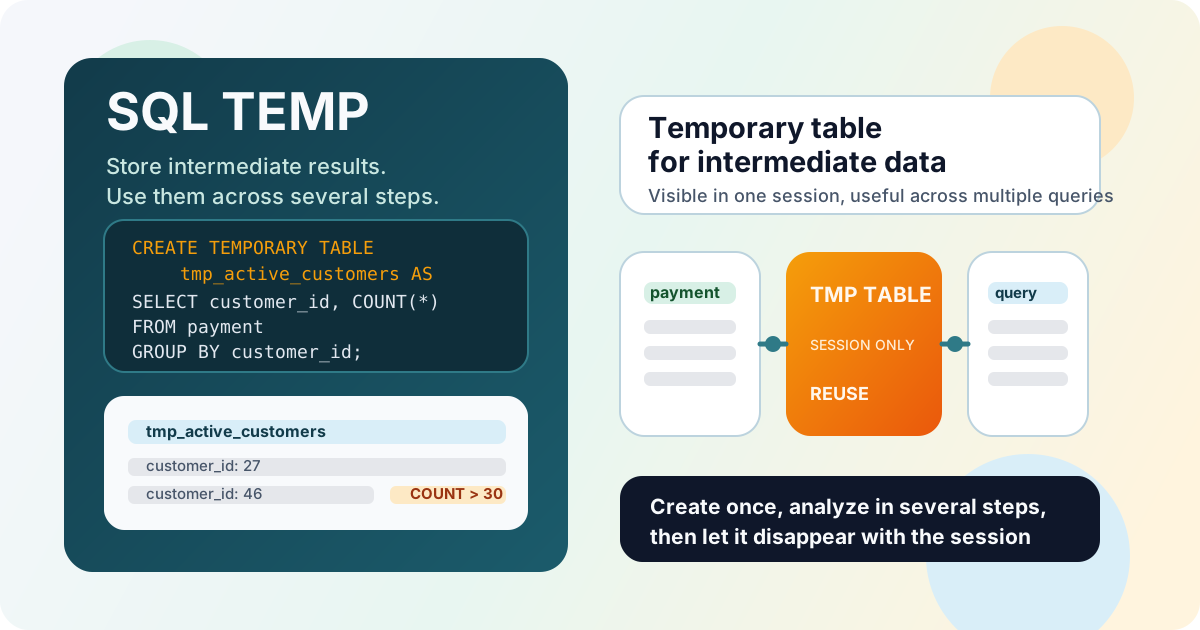
What Is a Temporary Table
A temporary table looks and works like a regular table: you can insert, select, update and delete rows. The differences are in its lifetime and visibility:
- it is visible only in the session that created it; other connections don't see it, even if they create a temporary table with the same name;
- it is dropped automatically when the session ends;
- it is meant for intermediate data, not for permanent storage.
Syntax
CREATE TEMPORARY TABLE table_name (
    column1 data_type,
    column2 data_type
);
Most often, a temporary table is created directly from a query:
CREATE TEMPORARY TABLE table_name AS
SELECT ...;
Example: Reusing an Intermediate Result
Save the customers who made more than 30 payments:
CREATE TEMPORARY TABLE tmp_active_customers AS
SELECT customer_id, COUNT(*) AS payment_count
FROM payment
GROUP BY customer_id
HAVING COUNT(*) > 30;
Now several independent queries can use it without repeating the aggregation:
SELECT ac.customer_id, c.first_name, c.last_name, ac.payment_count
FROM tmp_active_customers AS ac
INNER JOIN customer AS c ON c.customer_id = ac.customer_id
ORDER BY ac.payment_count DESC;
SELECT COUNT(*) AS customers,
       AVG(payment_count) AS avg_payments,
       MAX(payment_count) AS max_payments
FROM tmp_active_customers;
Result: the list of the most active customers and summary numbers for the same group, calculated once.
When you no longer need the table in a long session, drop it explicitly:
DROP TEMPORARY TABLE IF EXISTS tmp_active_customers;
In MySQL, DROP TEMPORARY TABLE drops only a temporary table, so it can't remove a regular table with the same name by mistake.
Temporary Table vs Regular Table
| Regular table | Temporary table | |
|---|---|---|
| Lifetime | Until DROP TABLE | Until the end of the session |
| Visible to | All users with permissions | Only the creating session |
| Purpose | Permanent business data | Intermediate results |
| Name conflicts | Unique in the database | Can hide a regular table with the same name in this session |
The last row is a trap: if a temporary table is named like an existing table, it hides that table for the rest of the session. Use a prefix such as tmp_.
Temporary Table vs CTE
CTE (WITH) | Temporary table | |
|---|---|---|
| Exists | During one statement | During the session |
| Used by | One query | Any number of queries |
| Indexes | No | Can be added |
| Needs permissions | Only to read | To create temporary tables |
Use a CTE (Lesson 6.4) when the intermediate result is needed in one query. Use a temporary table when it is needed in several queries, when it is expensive to calculate, or when it is large and benefits from an index:
CREATE TEMPORARY TABLE tmp_action_customers AS
SELECT DISTINCT r.customer_id
FROM rental AS r
INNER JOIN inventory AS i ON i.inventory_id = r.inventory_id
INNER JOIN film_category AS fc ON fc.film_id = i.film_id
INNER JOIN category AS c ON c.category_id = fc.category_id
WHERE c.name = 'Action';

ALTER TABLE tmp_action_customers ADD PRIMARY KEY (customer_id);
Limitations in MySQL
- One reference per query. MySQL doesn't allow a temporary table to appear twice in the same query, for example in a self-join or in both the outer query and a subquery: the error is "Can't reopen table". Use a CTE in such cases, or a regular table.
- Replication and connection pools. In applications that reuse connections, a temporary table can survive into the next request on the same connection. Drop it explicitly when done.
- Storage engine. Temporary tables are stored in memory or on disk depending on their size.
ENGINE = MEMORYkeeps a table in RAM, but it doesn't supportTEXT/BLOBcolumns and is limited bymax_heap_table_size.
Key Takeaways:
- A temporary table lives until the end of the session and is visible only to that session.
CREATE TEMPORARY TABLE ... AS SELECTsaves the result of a query.- A temporary table can be reused by many queries and indexed; a CTE exists only within one statement.
- Use a
tmp_prefix: a temporary table hides a regular table with the same name. - In MySQL, a temporary table can be referenced only once per query.
Frequently Asked Questions
When is a temporary table dropped?
When the session that created it ends. You can drop it earlier with DROP TEMPORARY TABLE table_name in MySQL or DROP TABLE table_name in other databases.
What is the difference between a temporary table and a CTE?
A CTE exists only inside one SQL statement. A temporary table is a real table that exists until the end of the session, so several separate queries can use it, and it can have indexes.
Can other users see my temporary table?
No. A temporary table is visible only in the session that created it. Two sessions can even have temporary tables with the same name without any conflict.