Lesson 10.3 · Reading time: ~9 min
This lesson introduces practical tools for SQL performance analysis and optimization. You will learn how the database engine reads your query, what an execution plan is, and how to find bottlenecks in complex selections. We will focus on using EXPLAIN and interpreting the most important fields. By the end of this lesson, you will be able not only to write SQL, but also to diagnose why a query is slow.
Lesson 10.3: Understanding Query Optimization Methods
In the previous lesson, we covered core principles for writing efficient SQL. But what if a query is still slow? To solve performance issues, you must replace guessing with analysis. Every time you submit a query, the DBMS optimizer builds an execution plan.
Understanding how the DBMS intends to retrieve data is the key to deeper optimization. In this lesson, we look inside the engine using the developer's main diagnostic tool: the execution plan.
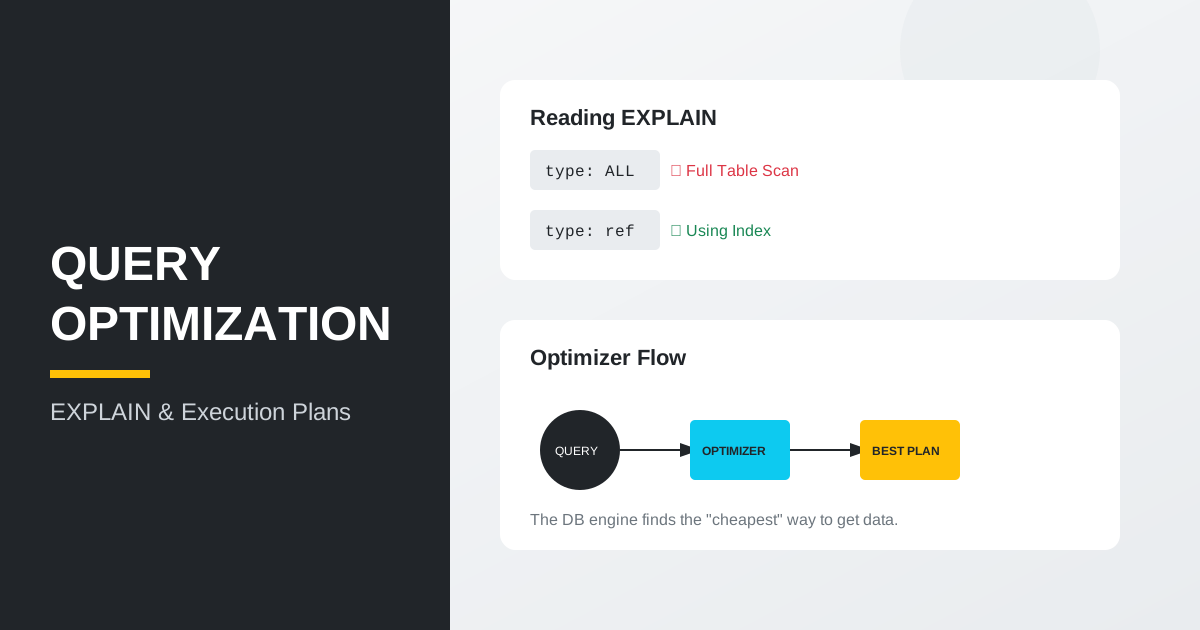
What is an execution plan
An execution plan is a detailed set of steps the DBMS prepares to run a specific SQL query. It describes:
- The order in which tables are joined.
- Access methods used (table scan vs index lookup).
- Estimated row counts per step.
- Estimated operation cost (
cost).
Using EXPLAIN
In most relational DBMS engines (MySQL, PostgreSQL, MariaDB), the primary command for plan analysis is EXPLAIN.
Basic syntax
Add EXPLAIN before your query:
EXPLAIN
SELECT customer_id, first_name, last_name
FROM customer
WHERE active = 1;
Result: the DBMS returns a table where each row represents one execution step.
What to focus on in plan analysis
When reading EXPLAIN, these fields are especially important.
1. Access type (type or access_type)
This field shows how rows are read:
const/eq_ref: excellent; unique-key lookup.ref: very good; indexed lookup that may return multiple rows.range: good; index range scan (BETWEEN,>, etc.).index: moderate; full index scan.ALL: risky; full table scan, often expensive on large tables.
2. Used indexes (key / possible_keys)
You can see which index the optimizer selected. If key is NULL, no suitable index was chosen and a scan is likely.
3. Estimated rows (rows)
This is the estimated number of rows to inspect. Smaller numbers usually mean less work and faster execution.
Practical example: finding the problem
Suppose we run this query for payments on a specific timestamp:
EXPLAIN
SELECT *
FROM payment
WHERE payment_date = '2005-05-25 11:30:37';
If type is ALL and key is NULL, an index on date is missing or not being used.
Fix direction:
A typical next step is adding an index on the field used in WHERE. We will cover index design in the next lesson, but EXPLAIN is what reveals the need.
On-the-fly optimization techniques
- Subquery optimization: replacing nested subqueries with
JOINcan produce better plans. - Materialization: for heavy logic reused often, consider materialized views or temporary tables.
- Logic simplification: unnecessary
DISTINCTorORDER BYinside subqueries may block optimizer improvements.
Key takeaways from this lesson:
- The execution plan is the main document the DBMS follows to run your query.
- Use
EXPLAINto see how data is actually accessed. - Avoid
ALL(Full Table Scan) on large tables whenever possible. rowshelps estimate the scale of work done by the server.- If
keyisNULL, review indexes and SARGable predicates.
Frequently Asked Questions
Why run EXPLAIN if my query is already fast enough?
EXPLAIN can reveal hidden risks before data volume grows. A query that is acceptable today may degrade significantly later.
What is the most concerning signal in a plan?
On large tables, ALL is often a warning sign because it means full table scanning. It is not always wrong, but it should be justified.
Why is rows so important?
rows approximates how much data the DBMS expects to process at each step. Large values usually indicate where optimization should start.
Interview Questions
What is an SQL execution plan?
An execution plan is the strategy built by the DBMS optimizer to produce query results. It describes operation order, access methods, and estimated costs.
Which EXPLAIN fields do you check first and why?
I start with type/access_type, key/possible_keys, and rows. Together they show whether indexes are used, how data is accessed, and where the main workload appears.
How do you detect that an index is needed from EXPLAIN?
If key is often NULL and access type shows scans, indexing on WHERE/JOIN columns should be reviewed. Then compare plans before and after index changes.
In the next lesson, we move to the most powerful acceleration tool - indexes - and learn to design them correctly.