Lesson 9.3 · Reading time: ~6 min
SQL TRUNCATE removes all rows from a table and keeps the table; DROP TABLE removes the table itself, with its data and structure. In this lesson you'll learn how both statements work, how they differ from DELETE in speed, rollback and auto-increment behavior, and how foreign keys affect them.
SQL TRUNCATE and DROP TABLE
You can remove data on three levels: some rows (DELETE ... WHERE), all rows (TRUNCATE), or the whole table (DROP TABLE). The first was covered in Lesson 8.3. TRUNCATE and DROP TABLE are DDL statements: they work with the table as a whole and are much faster, but also less forgiving.
The sample databases on SQLtest are read-only; the examples create their own table, so you can run them in the playground on a database without sample data.
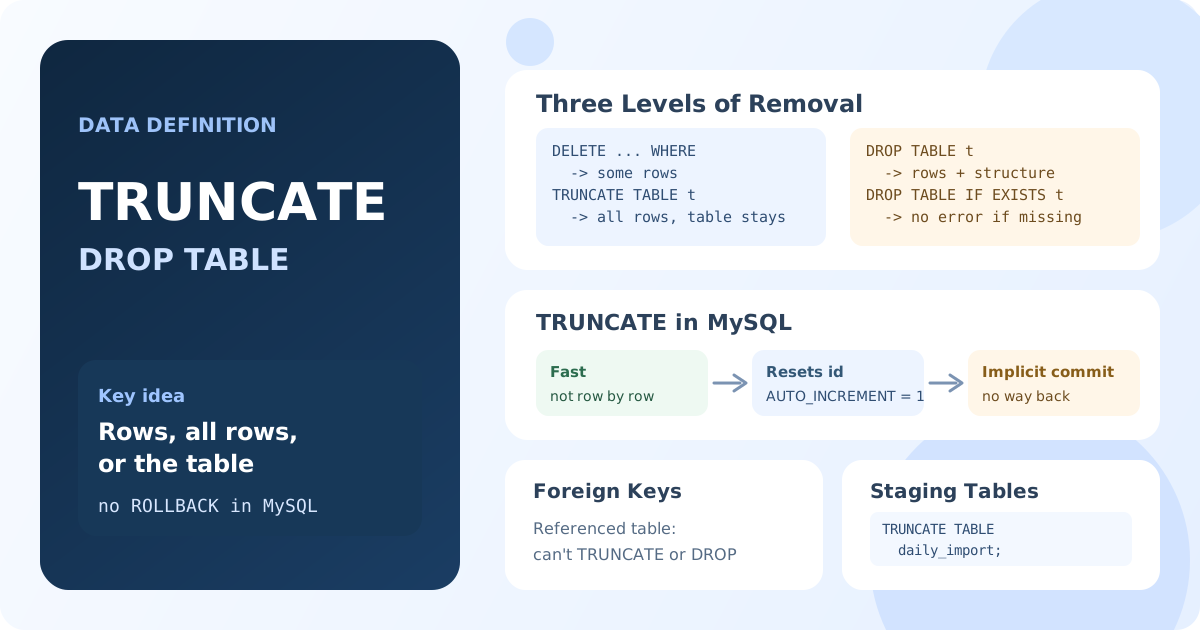
TRUNCATE: Empty the Table
TRUNCATE TABLE table_name;
After TRUNCATE:
- all rows are gone;
- the table, its columns, indexes and constraints remain;
- the auto-increment counter starts again from 1.
CREATE TABLE daily_import (
    id INT AUTO_INCREMENT PRIMARY KEY,
    payload VARCHAR(100)
);
INSERT INTO daily_import (payload) VALUES ('a'), ('b'), ('c');

TRUNCATE TABLE daily_import;

INSERT INTO daily_import (payload) VALUES ('d');
SELECT * FROM daily_import;
Result: one row, id = 1, payload = 'd'. The table was emptied and its id counter reset.
DROP TABLE: Remove the Table
DROP TABLE table_name;
After DROP TABLE, the table no longer exists: its data, columns, indexes and constraints are gone, and any query that uses the table fails until it is created again.
DROP TABLE IF EXISTS old_reports;
IF EXISTS skips the statement without an error when the table doesn't exist, which is useful in scripts that recreate tables.
TRUNCATE vs DELETE vs DROP
DELETE | TRUNCATE | DROP TABLE | |
|---|---|---|---|
| Removes | Selected rows (WHERE) or all | All rows | Rows and the table |
| Table remains | Yes | Yes | No |
| Speed on large tables | Slow: row by row | Fast | Fast |
| Auto-increment | Not reset | Reset | Gone with the table |
| Rollback in MySQL | Yes, in a transaction | No: implicit commit | No: implicit commit |
| Rollback in PostgreSQL, SQL Server | Yes | Yes, in a transaction | Yes, in a transaction |
Triggers ON DELETE | Fire | Don't fire | Don't fire |
The rollback row matters most. In MySQL and MariaDB, DDL statements commit the current transaction automatically, so a mistaken TRUNCATE or DROP TABLE can't be undone with ROLLBACK. Only a backup helps.
Foreign Keys
Foreign keys protect tables that other tables reference:
DROP TABLEfails if another table has a foreign key to it. Drop the child table first, or drop the constraint.- In MySQL,
TRUNCATEfails for a table referenced by a foreign key, even if the child table is empty.DELETE FROMworks in that case, because it checks the actual rows.
CREATE TABLE departments (department_id INT PRIMARY KEY);
CREATE TABLE staff (
    staff_id INT PRIMARY KEY,
    department_id INT,
    FOREIGN KEY (department_id) REFERENCES departments (department_id)
);

-- Error: Cannot truncate a table referenced in a foreign key constraint
TRUNCATE TABLE departments;
Which One to Use
- Remove some rows →
DELETE ... WHERE. - Empty a table you will fill again, such as a staging table for imports →
TRUNCATE. - The table is no longer needed →
DROP TABLE.
Before TRUNCATE or DROP on a real database, check the table name and the database you are connected to: both statements work instantly and, in MySQL, without a way back.
Key Takeaways:
TRUNCATE TABLEremoves all rows quickly and keeps the table; the auto-increment counter is reset.DROP TABLEremoves the table together with its data and structure;IF EXISTSavoids an error.DELETEcan remove part of the rows and can be rolled back;TRUNCATEcan't useWHERE.- In MySQL and MariaDB,
TRUNCATEandDROPcommit implicitly and can't be rolled back. - Foreign keys block dropping or truncating a referenced table.
Frequently Asked Questions
What is the difference between TRUNCATE and DELETE?
DELETE removes rows one by one, can use WHERE, fires delete triggers and can be rolled back. TRUNCATE removes all rows at once, is much faster, resets the auto-increment counter and, in MySQL, can't be rolled back.
What is the difference between TRUNCATE and DROP TABLE?
TRUNCATE empties the table but keeps it, ready for new rows. DROP TABLE removes the table completely; to use it again, you must create it with CREATE TABLE.
Can TRUNCATE be rolled back?
In MySQL and MariaDB, no: it causes an implicit commit. In PostgreSQL and SQL Server, yes, when it runs inside a transaction.