Lesson 3.1 · Reading time: ~8 min
In this lesson, you will explore the topic of sql functions and learn how built-in functions transform data directly inside a query. We will cover core syntax, function categories, and practical Sakila-based examples. By the end, you will be able to apply SQL functions confidently in real analysis workflows.
Built-in SQL Functions
In previous lessons, you learned how to select, filter, and sort rows. The next step is to calculate and transform values inside the query without extra application-side processing.
This is exactly where built-in SQL functions are most useful: they make queries more expressive, reduce repetitive logic, and speed up report preparation.
What Built-in SQL Functions Are
A built-in SQL function is a predefined operation provided by the DBMS. It accepts arguments and returns a new value such as text, a number, a date, or a boolean result.
Functions are used when you need to:
- normalize text values;
- perform calculations in SQL;
- extract parts of strings or dates;
- convert values between data types.
Basic Syntax
FUNCTION_NAME(argument1, argument2, ...)
Where:
FUNCTION_NAMEis the function name;argument1, argument2, ...are columns, literals, or results of other functions.
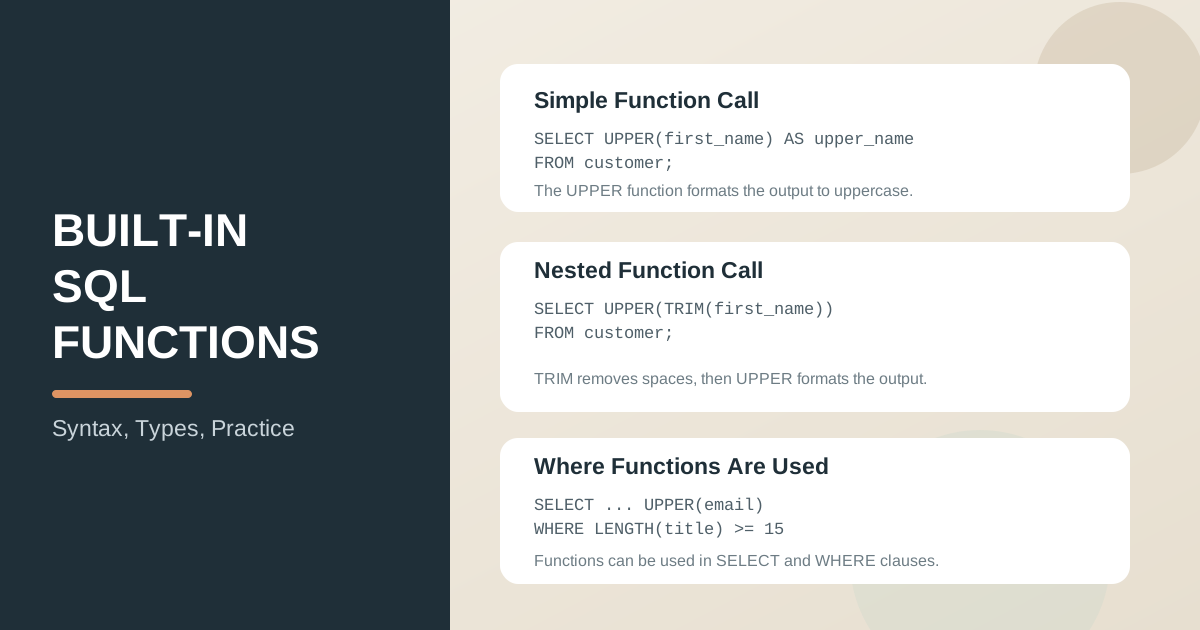
Simple function call example:
SELECT
	UPPER(first_name) AS upper_name
FROM customer
LIMIT 5;
Result: each first_name value is converted to uppercase.
You can also use nested function calls, where one function is passed as an argument to another.
Nested function call example:
SELECT
	UPPER(TRIM(first_name)) AS normalized_name
FROM customer
LIMIT 5;
Result: leading and trailing spaces are removed, then the name is converted to uppercase.
Where Functions Are Commonly Used
Functions in SELECT
In SELECT, functions help shape the output.
SELECT
	customer_id,
	CONCAT(first_name, ' ', last_name) AS full_name,
	UPPER(email) AS email_upper
FROM customer
LIMIT 10;
Note: this example uses only one table and shows how functions can format output columns directly in SELECT.
Functions in WHERE
In WHERE, functions support filtering based on computed conditions.
SELECT
	title,
	rental_duration
FROM film
WHERE LENGTH(title) >= 15
  AND ABS(rental_duration - 5) <= 2
ORDER BY title;
Result: returns films with longer titles and rental durations close to 5 days.
Main Types of SQL Functions
String functions
Examples: UPPER, LOWER, TRIM, SUBSTRING, CONCAT.
Used to clean and format text fields.
Mathematical functions
Examples: ROUND, ABS, CEILING, FLOOR, MOD.
Used for calculations, rounding, and numeric control.
Date and time functions
Examples: NOW, CURRENT_DATE, YEAR, MONTH, DATE_ADD, DATEDIFF.
Used for time-based analysis and interval calculations.
Type conversion functions
Examples: CAST, CONVERT.
Used when values must be explicitly converted to the correct type.
Practical Recommendations
- Always verify function behavior in your DBMS: syntax and details can differ.
- Use
ASaliases to make calculated columns easier to read. - Account for
NULLvalues, because function results can becomeNULL. - Avoid deeply nested functions in one query; split complex logic into steps.
Key takeaways from this lesson:
- Built-in SQL functions let you process data directly in queries.
- Functions in
SELECTshape output, while functions inWHEREimprove filtering precision. - String, mathematical, date/time, and conversion functions cover most core needs.
- Correct handling of data types and
NULLis essential for predictable results. - Well-used functions make SQL queries shorter, clearer, and more useful for analytics.
Interview Questions
What is a built-in SQL function, and why is it useful?
A built-in SQL function is a predefined operation provided by the DBMS. It is useful because it lets you transform, calculate, and format data directly in a query.
Why are SQL functions commonly used in both SELECT and WHERE?
In SELECT, functions help format or compute output values. In WHERE, they help filter rows using calculated conditions.
What is a nested function call, and when should you use it?
A nested function call means passing the result of one function into another function. Use it when data needs multiple transformation steps, for example UPPER(TRIM(first_name)).
In the next lesson, we will focus on SQL string functions and learn how to clean and transform text data effectively.