Lesson 10.4 · Reading time: ~10 min
This lesson introduces SQL indexes and their role in query performance. You will learn what an index is, how it helps retrieve data faster, and why it can sometimes slow down data modification operations. We will walk through basic examples of creating and validating indexes using Sakila tables. By the end of this lesson, you will be able to use indexes more deliberately to speed up practical queries.
Introducing SQL Indexes
In the previous lesson, we learned how to read execution plans with EXPLAIN and detect bottlenecks. The next logical step is to understand the core mechanism used to accelerate lookups: indexes.
Indexes are directly connected to how a DBMS searches for rows. Without them, the server often scans the entire table. With a suitable index, it can jump to relevant data much faster.
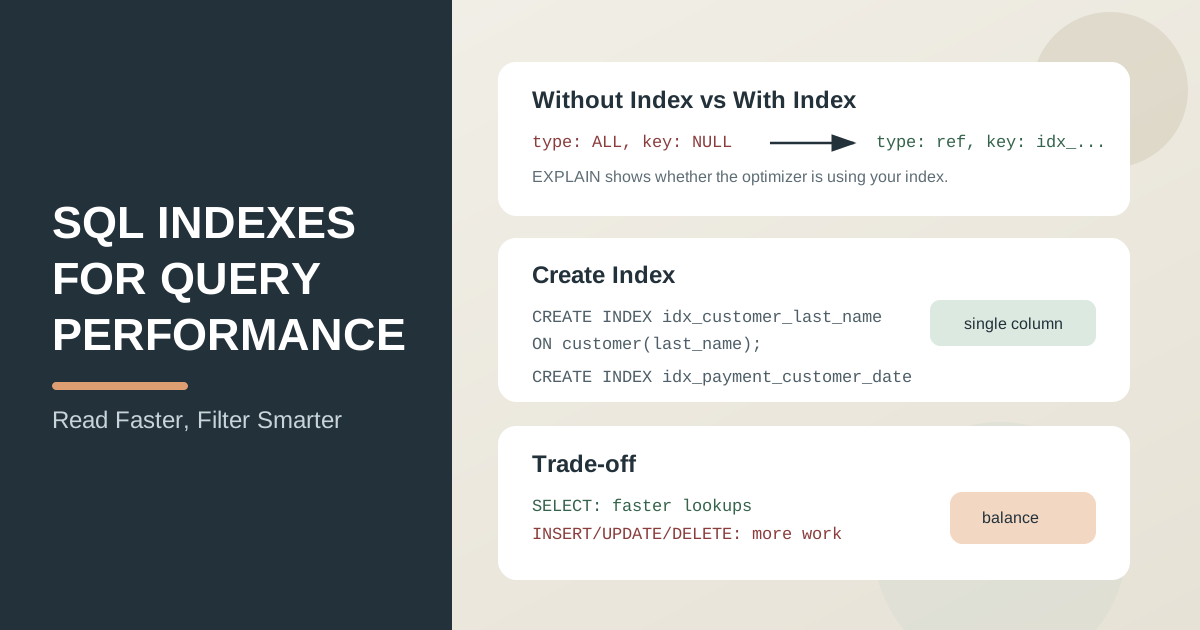
What an index is
An SQL index is an additional data structure that helps the DBMS find rows faster by column values.
A simple analogy is a book index. Instead of reading every page, you use the index and go directly to the relevant section.
In relational databases, B-tree indexes are commonly used and work well for:
- exact lookups (
=); - ranges (
>,<,BETWEEN); - sorting (
ORDER BY) on indexed columns.
How indexes affect performance
They speed up reads (SELECT)
When a WHERE condition uses an indexed column, the DBMS can locate rows without scanning the whole table.
They can slow down writes (INSERT, UPDATE, DELETE)
Every index must be kept up to date. When data changes, the DBMS updates both the table and its related indexes.
They require extra storage
Indexes are stored separately and consume disk space. Creating indexes on every column is usually a poor strategy.
Basic syntax
Create a single-column index:
CREATE INDEX idx_customer_last_name
ON customer (last_name);
Drop an index (syntax varies by DBMS):
DROP INDEX idx_customer_last_name ON customer;
Note: in PostgreSQL, the form is DROP INDEX index_name; without table name.
Example 1: Speeding up filtering on one column
Suppose we frequently search customers by last name:
SELECT
   customer_id,
   first_name,
   last_name
FROM customer
WHERE last_name = 'SMITH';
Without an index on last_name, the DBMS may perform a full scan of customer. After creating the index, the lookup usually changes to a more efficient access type.
Validation with EXPLAIN:
EXPLAIN
SELECT
   customer_id,
   first_name,
   last_name
FROM customer
WHERE last_name = 'SMITH';
Result: in the execution plan, you should see index usage (key/possible_keys in MySQL or Index Scan in PostgreSQL).
Example 2: Composite index
If queries often filter by two fields together, a composite index is useful.
CREATE INDEX idx_payment_customer_date
ON payment (customer_id, payment_date);
A query that fits this index well:
SELECT
   payment_id,
   customer_id,
   amount,
   payment_date
FROM payment
WHERE customer_id = 15
  AND payment_date >= '2005-07-01'
ORDER BY payment_date;
Note: column order in a composite index matters. In many cases, put the more frequently filtered field first.
When an index may not be used
Even if an index exists, the optimizer may skip it. Common reasons:
- a function on the indexed column in
WHERE(YEAR(payment_date)); - pattern search with leading
%(LIKE '%abc'); - very low column selectivity;
- unsuitable column order in a composite index.
Example of a condition that often prevents index usage:
SELECT
   payment_id,
   payment_date
FROM payment
WHERE YEAR(payment_date) = 2005;
A more index-friendly version:
SELECT
   payment_id,
   payment_date
FROM payment
WHERE payment_date >= '2005-01-01'
  AND payment_date < '2006-01-01';
Practical recommendations
- Add indexes for real frequent queries, not "just in case".
- Start with columns used in
WHERE,JOIN, andORDER BY. - After adding an index, compare execution plans with
EXPLAIN. - Keep balance: too many indexes can hurt write performance.
Key takeaways from this lesson:
- An index is a structure that speeds up row lookup.
- Indexes usually improve
SELECTperformance, but can slow downINSERT,UPDATE, andDELETE. - Single-column and composite indexes solve different filtering patterns.
- Column order in composite indexes is critical.
EXPLAINhelps verify whether the DBMS uses your index.
Frequently Asked Questions
Does a primary key automatically create an index?
Yes. In MySQL, PostgreSQL and SQL Server, PRIMARY KEY and UNIQUE constraints create an index automatically. Foreign keys differ: MySQL (InnoDB) creates an index on the foreign key column if there is none, while PostgreSQL does not, so you add it yourself.
How many indexes should a table have?
There is no fixed number. Each index speeds up the queries that match it but slows down INSERT, UPDATE and DELETE and takes disk space. Index the columns of frequent WHERE, JOIN and ORDER BY clauses, and drop unused or duplicate indexes: an index on (customer_id) is redundant next to one on (customer_id, payment_date).
How do I see the indexes of a table?
In MySQL, run SHOW INDEX FROM customer;. In PostgreSQL, use \d customer in psql or query the system view: SELECT indexname, indexdef FROM pg_indexes WHERE tablename = 'customer';.
Interview Questions
What is an SQL index, and why is it useful?
An index is an additional data structure that speeds up row lookup by column values. It is useful because it reduces read time and the amount of data scanned.
Why can an index speed up SELECT but slow down INSERT?
For reads, an index helps locate rows faster. For writes, the DBMS must update both table data and index structures, which adds work.
How do you verify that an index is actually used?
Run EXPLAIN for the query and inspect the execution plan: access type, selected index, and estimated row count.