SQL ALTER TABLE: Changing an Existing Table
Lesson 9.2 · Reading time: ~9 min · Practice tasks ↓
The SQL ALTER TABLE statement changes the structure of an existing table without recreating it: it adds, modifies, renames and drops columns, and adds or drops constraints. In this lesson you'll learn the syntax for each change in MySQL and PostgreSQL, why existing data can block a change, and how to find and drop a constraint by its name.
In the previous lesson you created tables with CREATE TABLE. Requirements change: a table needs a new column, a longer text field or a constraint that was forgotten. Dropping and recreating the table would delete its data, so the structure is changed in place with ALTER TABLE.
The sample databases on SQLtest are read-only, so these statements return a permission error there. The examples use the Sakila schema; they were checked on MySQL 8.0 and PostgreSQL 17.
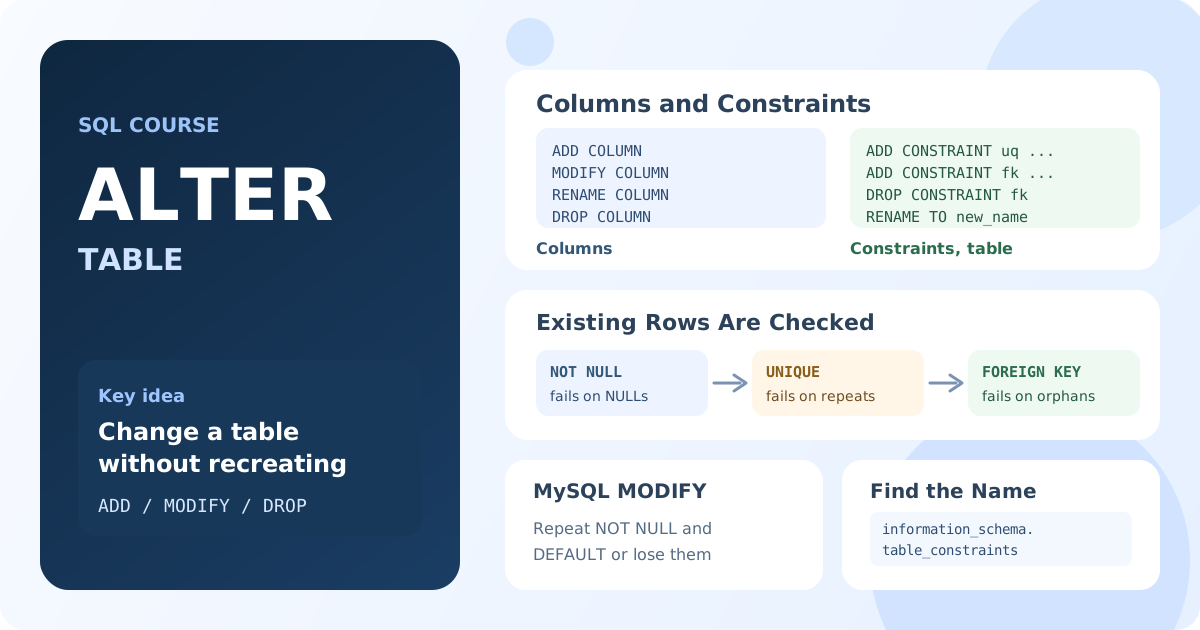
ALTER TABLE Syntax
ALTER TABLE table_name
    action [, action ...];
The action says what to change. One ALTER TABLE can contain several actions separated by commas. The most common ones:
| Task | MySQL | PostgreSQL |
|---|---|---|
| Add a column | ADD COLUMN | ADD COLUMN |
| Change a column | MODIFY COLUMN | ALTER COLUMN ... TYPE / SET / DROP |
| Rename a column | RENAME COLUMN a TO b | RENAME COLUMN a TO b |
| Drop a column | DROP COLUMN | DROP COLUMN |
| Add a constraint | ADD CONSTRAINT | ADD CONSTRAINT |
| Drop a constraint | DROP CONSTRAINT, DROP FOREIGN KEY | DROP CONSTRAINT |
| Rename the table | RENAME TO | RENAME TO |
Adding a Column
ALTER TABLE customer
ADD COLUMN loyalty_points INT NOT NULL DEFAULT 0;
Result: every existing customer gets loyalty_points = 0; new rows get 0 unless the INSERT sets a value.
The new column is added at the end of the table. MySQL can place it elsewhere with AFTER column_name or FIRST; PostgreSQL always adds it at the end.
NOT NULL Without a Default
If the table already has rows, a NOT NULL column needs a value for them:
ALTER TABLE customer
ADD COLUMN phone VARCHAR(20) NOT NULL;
Result in PostgreSQL: an error, column "phone" contains null values. MySQL accepts the statement and fills existing rows with the type's implicit default: an empty string here, 0 for numbers.
So always give a DEFAULT when you add a required column to a filled table, or add the column as nullable, fill it with UPDATE, and only then make it NOT NULL.
Changing a Column
To make the email column longer:
-- MySQL
ALTER TABLE customer
MODIFY COLUMN email VARCHAR(100) NOT NULL;

-- PostgreSQL
ALTER TABLE customer
ALTER COLUMN email TYPE VARCHAR(100);
The two databases treat the rest of the column definition differently:
- MySQL
MODIFYreplaces the whole column definition. Whatever you don't repeat is lost:ALTER TABLE customer MODIFY active SMALLINT;turns aNOT NULL DEFAULT 1column into a nullable column without a default. Always write the full definition:MODIFY active SMALLINT NOT NULL DEFAULT 1. - PostgreSQL
ALTER COLUMNchanges one property at a time and keeps the others:
ALTER TABLE customer
    ALTER COLUMN active TYPE INT,
    ALTER COLUMN active SET DEFAULT 1,
    ALTER COLUMN email SET NOT NULL;
MySQL also has CHANGE COLUMN old_name new_name definition, which renames and redefines a column in one step.
When the Data Doesn't Fit
The database checks existing rows against the new definition:
- Shortening
VARCHAR(50)toVARCHAR(10)fails if a value is longer: "Data truncated for column 'email'" in MySQL, "value too long for type character varying(10)" in PostgreSQL. - Adding
NOT NULLfails if the column containsNULL: "Invalid use of NULL value" in MySQL, "column contains null values" in PostgreSQL.
Fix the data first, for example UPDATE customer SET email = '' WHERE email IS NULL;, then repeat the ALTER TABLE.
Renaming and Dropping
ALTER TABLE customer RENAME COLUMN email TO email_address;

ALTER TABLE customer DROP COLUMN loyalty_points;

ALTER TABLE customer RENAME TO client;
Result: the column gets a new name, the loyalty_points column is removed together with its data, and the table is renamed.
RENAME COLUMN works in MySQL 8.0, MariaDB 10.5 and PostgreSQL; SQL Server uses the procedure sp_rename. Renaming doesn't update your queries, views and application code: anything that uses the old name breaks.
DROP COLUMN can't be undone with ROLLBACK in MySQL, because DDL commits implicitly (see Lesson 8.4). Back up the data you might need.
Adding Constraints
Constraints from CREATE TABLE can be added later. Give each one a name with CONSTRAINT name, so you can find and drop it easily:
ALTER TABLE customer
ADD CONSTRAINT uq_customer_email UNIQUE (email);

ALTER TABLE payment
ADD CONSTRAINT chk_payment_amount CHECK (amount >= 0);

ALTER TABLE payment
ADD CONSTRAINT fk_payment_customer
    FOREIGN KEY (customer_id) REFERENCES customer (customer_id);
A primary key is added the same way: ALTER TABLE table_name ADD PRIMARY KEY (column_name);.
Existing Data Can Block a Constraint
A new constraint applies to the rows already in the table. If any row breaks it, the whole statement fails:
| Constraint | Error in MySQL when existing rows break it |
|---|---|
UNIQUE (email) | Duplicate entry 'a@x.org' for key 'customer.uq_customer_email' |
CHECK (amount >= 0) | Check constraint 'chk_payment_amount' is violated |
FOREIGN KEY (customer_id) | Cannot add or update a child row: a foreign key constraint fails |
Find the problem rows with a SELECT before adding the constraint. For example, payments that reference a missing customer:
SELECT p.payment_id, p.customer_id
FROM payment AS p
LEFT JOIN customer AS c ON c.customer_id = p.customer_id
WHERE c.customer_id IS NULL;
Result: the orphan rows that would block the foreign key. Fix or delete them, then add the constraint.
Finding and Dropping Constraints
To drop a constraint, you need its name. If the name wasn't given, the database generated one, such as payment_ibfk_1 in MySQL or payment_customer_id_fkey in PostgreSQL. The information_schema.table_constraints view lists them:
SELECT CONSTRAINT_NAME, CONSTRAINT_TYPE
FROM information_schema.table_constraints
WHERE TABLE_SCHEMA = DATABASE()
  AND TABLE_NAME = 'payment'
ORDER BY CONSTRAINT_TYPE, CONSTRAINT_NAME;
Result on Sakila: fk_payment_customer, fk_payment_rental and fk_payment_staff (FOREIGN KEY) and PRIMARY (PRIMARY KEY). In PostgreSQL, filter by table_schema = 'public' instead of DATABASE().
Then drop it:
-- PostgreSQL, SQL Server and MySQL 8.0.19+
ALTER TABLE payment DROP CONSTRAINT fk_payment_customer;

-- MySQL: type-specific forms
ALTER TABLE payment DROP FOREIGN KEY fk_payment_customer;
ALTER TABLE payment DROP CHECK chk_payment_amount;
ALTER TABLE customer DROP INDEX uq_customer_email;
In MySQL, a UNIQUE constraint is an index, so it is dropped with DROP INDEX.
ALTER TABLE on Large Tables
On a table with millions of rows, some changes rewrite the whole table and block writes while they run. Adding a nullable column or a column with a constant default is fast in modern versions: MySQL 8.0 does it instantly (ALGORITHM=INSTANT), and so does PostgreSQL 11 and later. Changing a column type, adding a foreign key to a big table or dropping a column in older versions can take a long time.
On production databases, test a schema change on a copy first and run it when the load is low.
Key Takeaways:
ALTER TABLEchanges an existing table in place: columns, constraints and the table name.- Add required columns to filled tables with a
DEFAULT, or fill them before settingNOT NULL. - In MySQL,
MODIFYreplaces the whole column definition; repeatNOT NULLandDEFAULT, or they are lost. - Existing rows must satisfy a new type,
NOT NULLor constraint, otherwise the statement fails. - Name your constraints; find unnamed ones in
information_schema.table_constraintsand drop them withDROP CONSTRAINT. - In MySQL,
ALTER TABLEcommits implicitly and can't be rolled back.
Frequently Asked Questions
How do I add a column to an existing table in SQL?
Use ALTER TABLE table_name ADD COLUMN column_name data_type;, for example ALTER TABLE customer ADD COLUMN loyalty_points INT NOT NULL DEFAULT 0;. Existing rows get the default value, or NULL if the column has no default.
How do I change a column's data type in SQL?
In MySQL, ALTER TABLE customer MODIFY COLUMN email VARCHAR(100) NOT NULL; with the full column definition. In PostgreSQL, ALTER TABLE customer ALTER COLUMN email TYPE VARCHAR(100);. The change fails if existing values don't fit the new type.
How do I add a foreign key to an existing table?
ALTER TABLE payment ADD CONSTRAINT fk_payment_customer FOREIGN KEY (customer_id) REFERENCES customer (customer_id);. Every existing customer_id in payment must exist in customer, otherwise the statement fails.
How do I drop a constraint if I don't know its name?
Look it up in information_schema.table_constraints for the table, then run ALTER TABLE table_name DROP CONSTRAINT constraint_name;. In MySQL, foreign keys can also be dropped with DROP FOREIGN KEY and unique constraints with DROP INDEX.
Interview Questions
What is the difference between MODIFY COLUMN in MySQL and ALTER COLUMN in PostgreSQL?
MODIFY COLUMN replaces the full column definition, so attributes you don't repeat, like NOT NULL or DEFAULT, are removed. PostgreSQL's ALTER COLUMN changes one property, such as the type or the default, and keeps the rest.
Why can adding a NOT NULL or UNIQUE constraint fail on an existing table?
The constraint is checked against the rows already in the table. NOT NULL fails if a value is NULL, UNIQUE fails on duplicates, a foreign key fails on values missing in the referenced table. Clean the data first.
How would you add a required column to a large production table?
Add it with a constant DEFAULT, which is a fast metadata change in MySQL 8.0 and PostgreSQL 11+; or add it as nullable, fill it in batches with UPDATE, then set NOT NULL. Test on a copy and run during low load.