Lesson 9.6 · Reading time: ~9 min
A materialized view is a view whose result is stored on disk like a table: the query runs once, and reads return the saved rows instead of recalculating them. It makes heavy reports fast, at the cost of data that is only as fresh as the last refresh. In this lesson you'll learn to create, query and refresh materialized views in PostgreSQL, see which databases support them, and build the same thing in MySQL with a summary table.
Materialized Views in SQL
In the previous lesson you created views: a view stores only the query, and every read runs it again. That's convenient, but a report that joins five tables and aggregates thousands of rows does all that work on every request.
A materialized view solves this by saving the result. The examples use the Sakila schema in PostgreSQL syntax; the behavior shown was checked on PostgreSQL 17, and the MySQL part on MySQL 8.0.
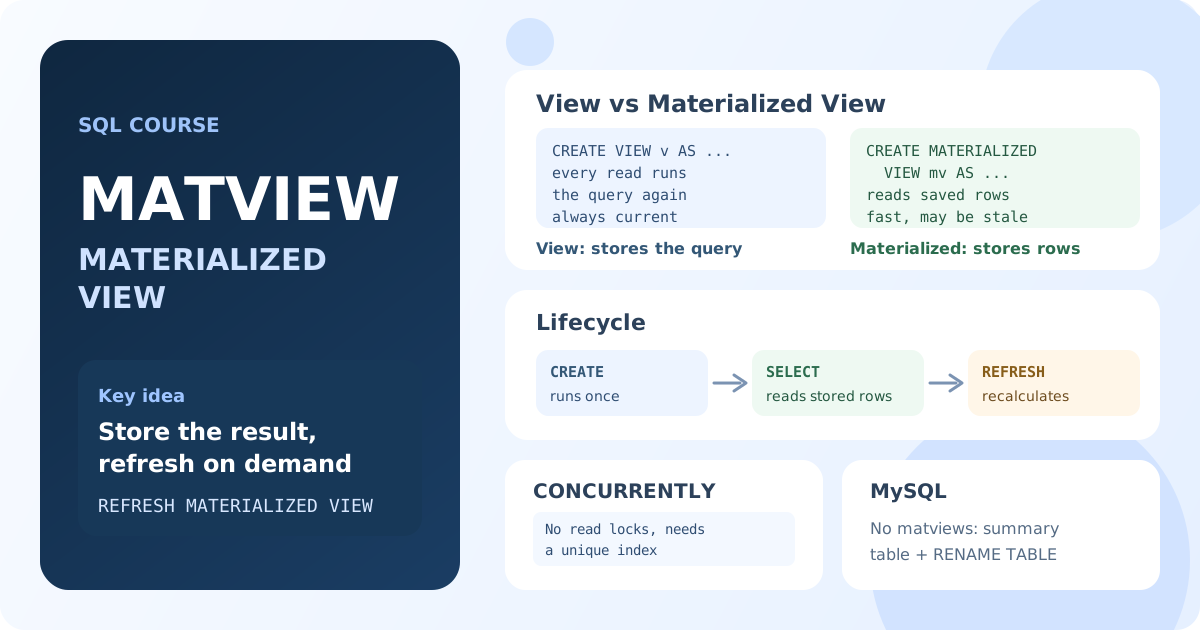
What Is a Materialized View?
A materialized view is a named query plus a stored copy of its result. Reads come from the copy, so they are as fast as reading a small table. The copy is not updated automatically: when the source tables change, the materialized view keeps the old data until you refresh it.
| View | Materialized view | Table | |
|---|---|---|---|
| Stores | the query | the query and its result | data |
| A read | runs the query | reads the stored result | reads the data |
| Freshness | always current | as of the last refresh | what you wrote |
| Can be indexed | no | yes | yes |
INSERT / UPDATE | sometimes | no | yes |
Creating a Materialized View
The syntax is the same as for a view, with the word MATERIALIZED:
CREATE MATERIALIZED VIEW category_revenue AS
SELECT c.name AS category, COUNT(*) AS rentals, SUM(p.amount) AS revenue
FROM payment AS p
JOIN rental AS r ON r.rental_id = p.rental_id
JOIN inventory AS i ON i.inventory_id = r.inventory_id
JOIN film_category AS fc ON fc.film_id = i.film_id
JOIN category AS c ON c.category_id = fc.category_id
GROUP BY c.name;
Result: PostgreSQL runs the query once and stores 16 rows, one per category.
Now it is queried like a table:
SELECT category, rentals, revenue
FROM category_revenue
ORDER BY revenue DESC
LIMIT 5;
Result: Sports (1179 rentals, 5314.21), Sci-Fi (4756.98), Animation (4656.30), Drama (4587.39), Comedy (4383.58). The five joins are not executed again: the rows come from the stored result.
To create the object without running the query, add WITH NO DATA. Such a view can't be read until its first refresh: a SELECT fails with "materialized view has not been populated".
A materialized view is read-only. INSERT INTO category_revenue … fails with "cannot change materialized view". Its data changes only through a refresh.
Refreshing the Data
When new payments arrive, the materialized view still shows the old totals. To recalculate it:
REFRESH MATERIALIZED VIEW category_revenue;
Result: the query runs again and replaces the stored rows. Until this command, a new payment doesn't appear in the view at all.
A plain REFRESH locks the materialized view: queries that read it wait until the refresh ends. For a view that is read all the time, use CONCURRENTLY. It builds the new result alongside the old one and swaps in only the changed rows, so reads are not blocked:
CREATE UNIQUE INDEX category_revenue_category_idx ON category_revenue (category);

REFRESH MATERIALIZED VIEW CONCURRENTLY category_revenue;
CONCURRENTLY requires a unique index on the materialized view; without it the command fails with "cannot refresh materialized view concurrently". It is also slower than a plain refresh, so use it only where blocked reads are a problem.
How often to refresh depends on the task: once a night for a daily report, every few minutes for a dashboard. The refresh is run by a scheduler, for example cron or the pg_cron extension.
Indexes and Dropping
A materialized view is stored like a table, so it can have ordinary indexes too, which a regular view can't. You'll learn indexes in detail in Module 10.
To delete it:
DROP MATERIALIZED VIEW category_revenue;
The list of materialized views in PostgreSQL is in pg_matviews; its ispopulated column shows whether one has been filled.
Support in Different Databases
| Database | Materialized views | Refresh |
|---|---|---|
| PostgreSQL | CREATE MATERIALIZED VIEW | manual: REFRESH MATERIALIZED VIEW |
| Oracle | CREATE MATERIALIZED VIEW | on demand, on schedule or on commit; can be incremental |
| SQL Server | indexed views (CREATE VIEW … WITH SCHEMABINDING + a clustered index) | automatic, with every change of the source tables |
| MySQL, MariaDB | not supported | summary table (see below) |
| SQLite | not supported | summary table |
In MySQL, CREATE MATERIALIZED VIEW is a syntax error.
A Materialized View in MySQL: a Summary Table
In MySQL the same result is stored in an ordinary table that you rebuild yourself:
CREATE TABLE category_revenue AS
SELECT c.name AS category, COUNT(*) AS rentals, SUM(p.amount) AS revenue
FROM payment AS p
JOIN rental AS r ON r.rental_id = p.rental_id
JOIN inventory AS i ON i.inventory_id = r.inventory_id
JOIN film_category AS fc ON fc.film_id = i.film_id
JOIN category AS c ON c.category_id = fc.category_id
GROUP BY c.name;
To refresh it without leaving readers with an empty table, fill a new copy and swap the two in one statement:
CREATE TABLE category_revenue_new LIKE category_revenue;

INSERT INTO category_revenue_new
SELECT c.name, COUNT(*), SUM(p.amount)
FROM payment AS p
JOIN rental AS r ON r.rental_id = p.rental_id
JOIN inventory AS i ON i.inventory_id = r.inventory_id
JOIN film_category AS fc ON fc.film_id = i.film_id
JOIN category AS c ON c.category_id = fc.category_id
GROUP BY c.name;

RENAME TABLE category_revenue TO category_revenue_old,
             category_revenue_new TO category_revenue;

DROP TABLE category_revenue_old;
Result: RENAME TABLE swaps both tables at once, so queries see either the old or the new data, never an empty table.
For a small table, DELETE plus INSERT … SELECT inside one transaction works too. Don't use TRUNCATE there: in MySQL it commits implicitly, and readers would see the table empty (see Lesson 8.4).
The refresh is scheduled with the MySQL event scheduler (CREATE EVENT … ON SCHEDULE EVERY 1 HOUR) or an external cron job.
When to Use a Materialized View
Good fits:
- heavy reports and dashboards that join many tables and aggregate a lot of rows;
- data that may be minutes or hours old: daily sales, monthly statistics, rankings;
- results that many users read and few change.
Poor fits:
- data that must always be current, such as a balance or available stock;
- source tables that change all the time, when the view would have to be refreshed constantly;
- simple fast queries: a regular view or the query itself is enough.
Key Takeaways:
- A materialized view stores the result of its query; reads return the stored rows without running the query.
- The data is as fresh as the last
REFRESH MATERIALIZED VIEW; nothing is updated automatically in PostgreSQL. REFRESH … CONCURRENTLYdoesn't block reads but needs a unique index on the materialized view.- A materialized view is read-only and can have its own indexes.
- MySQL and MariaDB have no materialized views: use a summary table and swap it with
RENAME TABLE. - Use them for heavy reports that tolerate slightly stale data, not for values that must be current.
Frequently Asked Questions
What is the difference between a view and a materialized view?
A view stores only the query and runs it on every read, so the data is always current. A materialized view stores the query's result: reads are fast, but the data is as of the last refresh.
Does a materialized view update automatically?
Not in PostgreSQL: you run REFRESH MATERIALIZED VIEW yourself or on a schedule. Oracle can refresh on commit, and SQL Server indexed views are maintained automatically with every change.
Does MySQL support materialized views?
No. MySQL and MariaDB have only regular views. The usual replacement is a summary table filled with INSERT … SELECT and rebuilt on a schedule.
Can I add an index to a materialized view?
Yes. A materialized view is stored like a table, so you can index it, and REFRESH … CONCURRENTLY requires a unique index.
Interview Questions
When would you use a materialized view instead of a regular view?
When the query is expensive, its result is read often, and the data may be somewhat stale: reports, dashboards, aggregated statistics. A regular view is better when the data must always be current or the query is cheap.
What does REFRESH MATERIALIZED VIEW CONCURRENTLY do, and what does it require?
It recalculates the result without locking out readers: the new result is built alongside the old one and only the differences are applied. It requires a unique index on the materialized view and is slower than a plain refresh.
How would you implement a materialized view in MySQL?
Create a summary table with CREATE TABLE … AS SELECT. To refresh it, fill a new copy and swap the tables with RENAME TABLE, and run the refresh from the event scheduler or cron.